Hey Guys, CT here, I went to the Margaret Herrick Library Monday and Read The Last Jedi script. It’s pretty literal and to the point, but if anyone is interested in the tidbits I pulled, I hosted a podcast discussion about it. The Library is insanely strict, as I’m sure many other people will attest so I won’t be doing a writeup of quotes personally. (It’s not against the rules, but there are many adjacent rules that make me cautious.)
So if anyone has any interest, here it is! Most notable moments are for Rey, Leia, Kylo, and Luke. Most other stage direction was pretty literal (IE Finn walked up to Rose, or Poe shook his head). But it was still a really fun read.
In case you’re not aware, Tumblr has recently announced that on the seventeenth of December they’ll start purging all porn and porn-adjacent content on Tumblr. Why does that matter to LWU, you ask? Well, they’re using their bots to identify it, and we’ve all seen how well THAT works. One of my Wander posts even got flagged as sensitive for no apparent reason. What I want to do is reassure you all that I’ve taken steps to back up all of the content on LWU to my hard drive using a tool I was recommended a couple weeks ago. I’m going to continue to do so on a regular basis just in case, so there’s very little chance that my stuff will be lost.
I’m using this one! It condensed my entire blog as of November 20th into one 4.36 gigabyte folder.
Any notes on how to use it? I can’t figure it out.
Okay, so here’s how to do this.
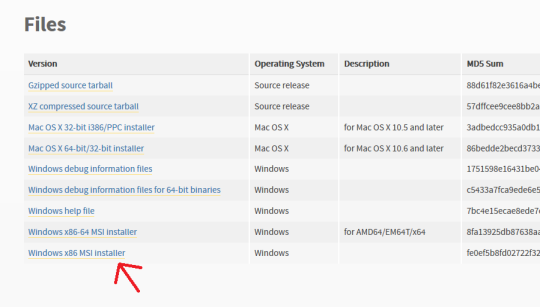
First off, go here and make sure you have Python installed. For Windows it should be the very bottom link, the x86 MSI Installer. You don’t have to do anything but install it.
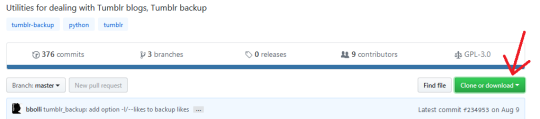
Second, go here, and click “Clone or Download” (the green button on the right). Select “Download ZIP”.
Make sure you have WinRAR or 7zip or something installed that lets you extract zip files.
Next, make a folder on your desktop. I named mine “Tumblr Backup”, and in the following instructions I’m going to assume that’s what you’ve named yours as well; replace “Tumblr Backup” with whatever you name yours if it isn’t.
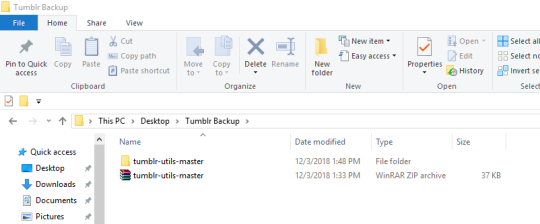
Drop the zip file you downloaded into Tumblr Backup. Go in and extract it; this should create a folder called “tumblr-utils-master“.
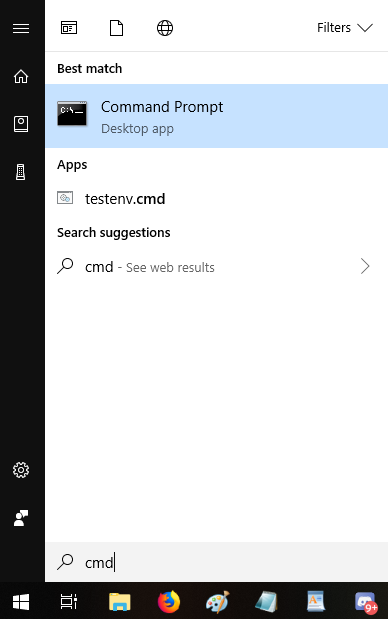
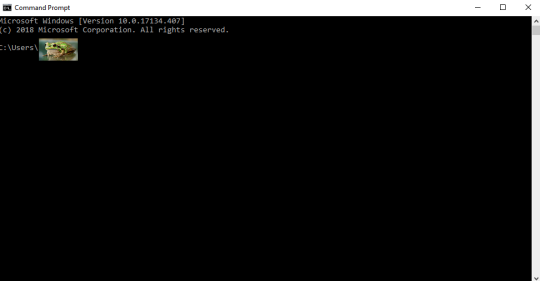
Open your Command Prompt. If you don’t know how to find that, click your start menu button and type “CMD”, which should give you this:
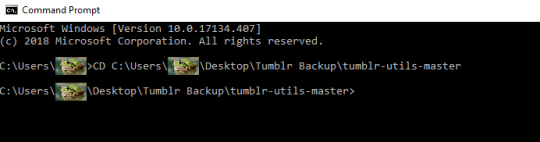
That should open this:
That frog over there is blotting out my profile name on my computer. Whatever your profile name is when you sign in (e.g. “Max” or “Snugglebuns” or “froglord69”) is going to be in that spot on the address path. If it instead says something about Windows and System 32, that’s okay, what I’m gonna tell you to do will go to the right place either way.
Next, input this command–keeping in mind that the parts in bold should be changed based on your profile name and what you named the folder on your desktop:
CD C:Usersfroglord69DesktopTumblr Backuptumblr-utils-master
There! Now you’re in the right folder! Next, enter this command, replacing the bolded bit with your own blog name:
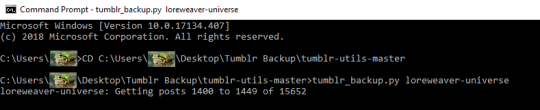
tumblr_backup.py yourblogname
You should see this:
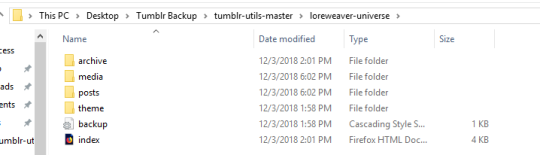
Then just…let it run! It took less than five minutes for my computer, though it will vary by processor and connection. Once it’s done, you’ll have something like this:
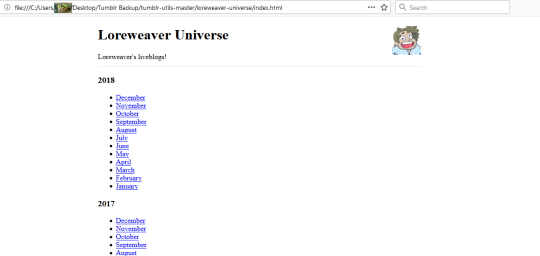
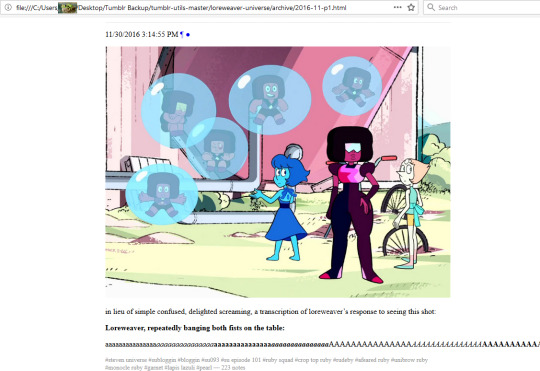
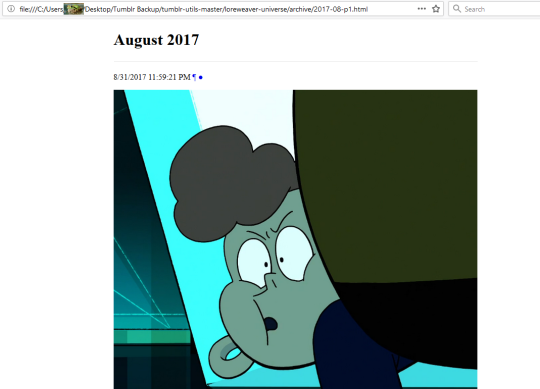
That “index” opens in an internet browser. It’s basically a webpage stored directly on your computer. Some pics of mine:
So…not pretty, but it’ll save the content of your posts. Hope this helps!
Seriously, share this. There doesn’t seem to be a way to donate to the author of the tool, but THANK you for mentioning this and giving such a detailed how-to. Glorious.
Well, I was going to wait to post this when I finally had my story ready to post, but I want it out there for everyone before everyone flounces tumblr.
I commissioned this piece of fanart from @kayurka for my upcoming (and still untitled) au where Ben is a Catholic priest and him and Rey flirt with that pesky Vow of Chastity.
I love it so much and I can’t wait to finish writing and post this fic, it’s been a labor of love but SO fun to write. Keep your eyes out!
The difference between the dark and light sides appeared to be in how
they feel to those who are aware of them. The light side at times was
described as a flowing river: soothing, constant, with hidden strength.
In contrast, the dark side was described as a roaring fire: obviously
powerful, seductive, and potentially dangerous.





 Reylo Source